
See what’s scheduled.
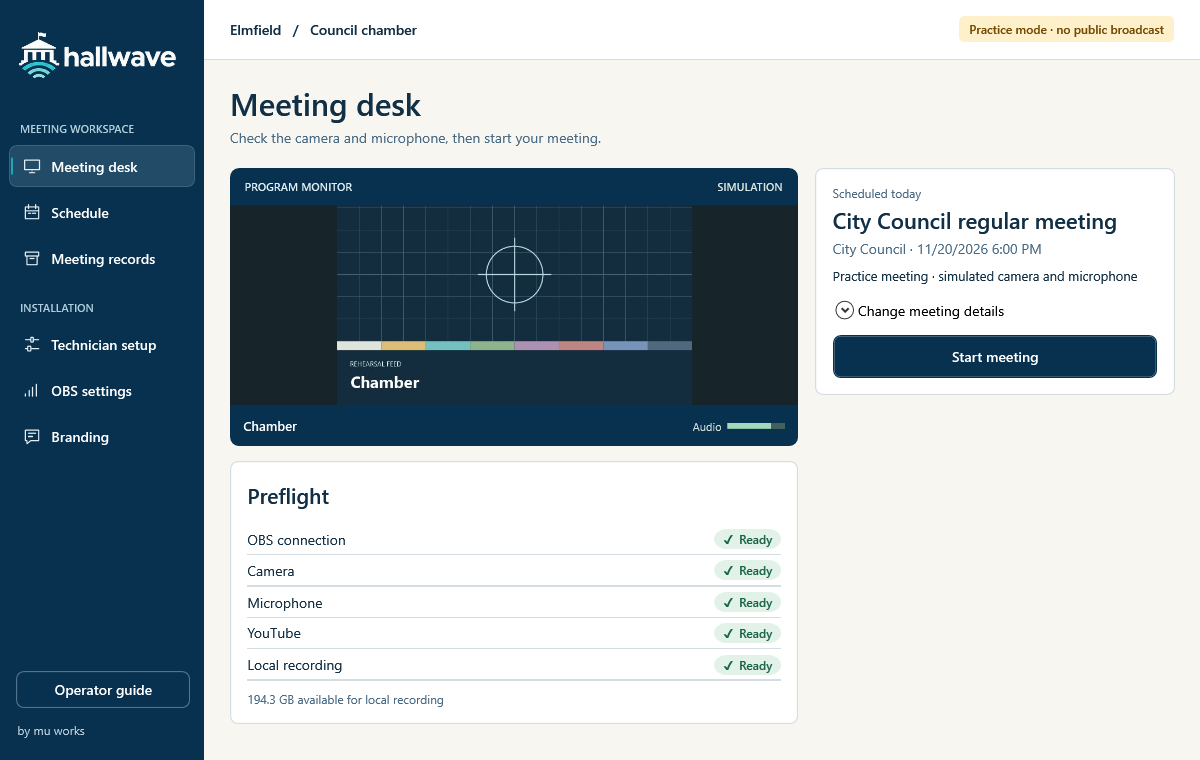
The desk fills in today’s meeting when there’s just one. If several are scheduled, choose yours. Check the picture, microphone and recording space before you start.
Council meeting software
Give the clerk one Windows desk to check the room, stream to YouTube and keep a local recording of the meeting.
For clerks and meeting operators
A council session, a committee hearing and a special meeting can share one room. Each governing body can have its own settings.
The desk fills in today’s meeting when there’s just one. If several are scheduled, choose yours. Check the picture, microphone and recording space before you start.
Start the meeting, switch between configured scenes and mute the microphone when needed. Separate indicators show whether OBS is recording and YouTube is live.
End the session and check that the archive copy was verified. Keep the recording and links to the agenda, minutes and public video together in the meeting record.
For municipal IT partners
Bring Hallwave to the councils you support. Start with a reusable room template, map the cameras and microphones in OBS, then rehearse before the first public meeting.
Common questions
Hallwave runs on a Windows workstation with OBS Studio. Your technician connects the room’s cameras and microphones in OBS and chooses recording and archive folders. A walkthrough can cover the equipment you already have.
Yes. Your technician can set a governing body’s profile to record locally. For live broadcasts, the municipality authorizes its own eligible YouTube channel.
Yes. Practice mode uses a simulated camera, microphone and streaming destination. A clerk can rehearse starting, ending and finding the meeting record.
Yes. Municipal IT teams and installation partners can configure the room, test the signal and set the support contact shown to staff. Choose “IT partner inquiry” below to discuss an installation or reseller arrangement.
Get in touch
Request a council walkthrough or talk with Mu Works about bringing Hallwave to the municipalities you serve.
jalil@muworksllc.com