
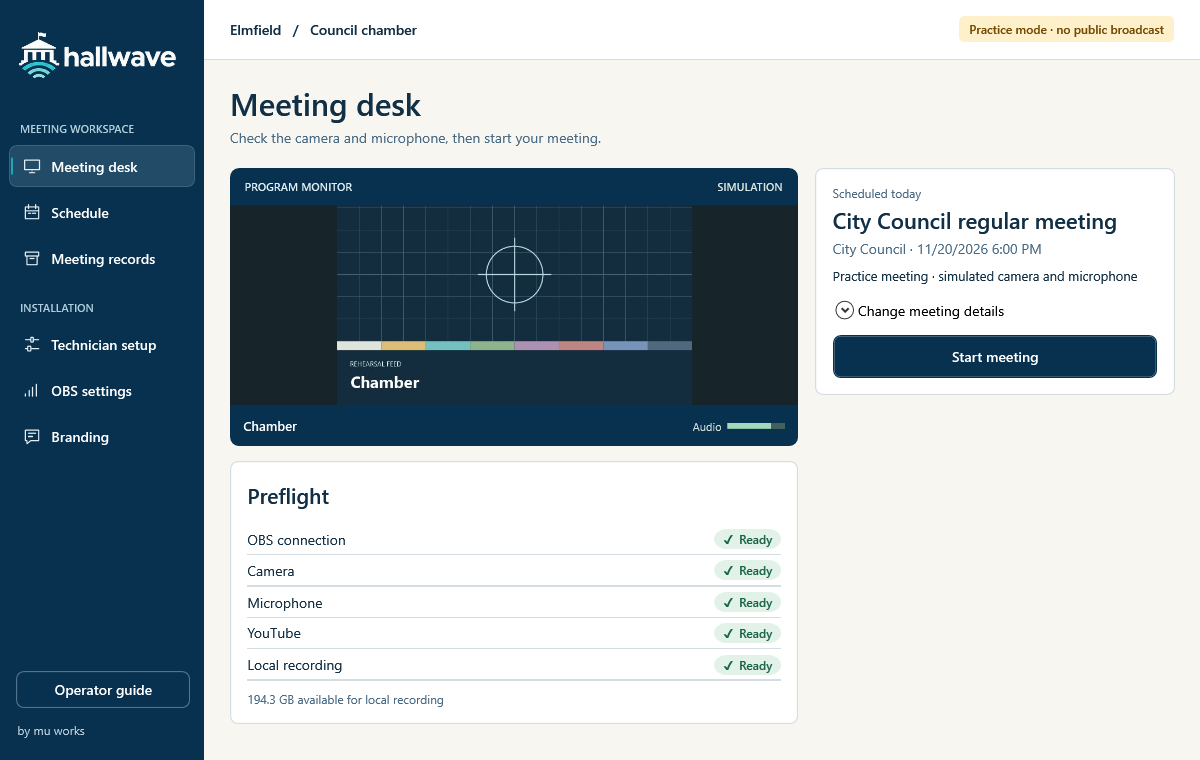
Before roll call
Choose the scheduled meeting. Check the camera, microphone, and recording space before anyone goes on air.
Check the room, stream to YouTube or Facebook, and keep a local recording from one Windows desk.
Request a walkthroughCheck the chamber picture and watch the microphone level before roll call.
Choose the scheduled meeting. Check the camera, microphone, and recording space before anyone goes on air.
Switch views and mute the microphone as needed. Check the local recording and each selected feed. Confirm Facebook publication in Live Producer.
Open the meeting record to verify the archive copy and find the video, agenda, and minutes together.
Install Hallwave for the councils you support. A technician sets up the room in OBS. The clerk runs the meeting from Hallwave.
Hallwave runs on a Windows workstation with OBS Studio. A walkthrough can cover the room’s current cameras, microphones, and recording storage.
Yes. Your technician can configure a meeting profile for local recording. For livestreams, choose YouTube, Facebook, or both from the destinations your technician has enabled.
Yes. Connect the council’s YouTube channel and configure a Facebook output in OBS with Aitum Multistream. Select both feeds for the meeting. Confirm the Facebook audience and publication in Live Producer.
Practice mode simulates the camera, microphone, and streaming destination. A clerk can start a practice meeting, end it, and find its record.
Yes. Your provider can configure the room and rehearse with staff. Choose “IT partner inquiry” in the form to discuss installation or resale.
Bring your room setup to a council walkthrough, or ask about supplying Hallwave to your municipal clients.
jalil@muworksllc.com